Support
Build tips
Assembling the frame, attaching the lights, and what to do when a wire is too short.
Frame assembly (new style frame)
- Unpack your map. Punch holes if needed, 7 mm in size.
- Attach the lights to the back of the map with hot glue or electrical tape.
- Plug into the hub and check that every light works. Write the airport codes on the instruction sheet.
- Place the map in the frame, then place the back cover over the wires. Route the plug through the notch in the top. Use the thumbtacks provided to secure the back of the frame.
- Attach the hub to the back of the frame securely. Now is a good time to enter your WiFi and airport codes if you have not already: see getting started.
- Enjoy your new map! Weather updates about every 15 minutes. More settings are on the setup page.
Floating the frame off the wall (old style lights)
Most wall-mounted maps need to "float" off the wall to make room for the lights and wires.
The easiest way is 1x2" wood strips from a hardware store. Paint them to match your frame, then attach them to the sides of the frame with wood glue and a clamp, and let it dry for 30 minutes.
From the front the strips are hidden and every wire is out of sight. The gaps at the top and bottom let air flow so nothing overheats.
Extending the wires (old style lights)
Lights can be spaced up to 2.5" apart with no modification. Try different paths to find the one that works best for you.
Method 1: skip a light
If you need to skip a light, secure it to the back of the map and use the code SKIP in its place. Example: KBOW,SKIP,KLAL
Method 2: splice in more wire
- Cut halfway between two lights with wire cutters and strip back the insulation.
- Prepare three wires of equal length, 20 AWG. Keeping the same colors helps. For example, this 20 AWG silicone wire kit.
- Twist the wires together tightly, fold the end back, and secure with electrical tape.
With a splice you do not need any special codes. You can also solder the wires for a more permanent connection. Keep the colors consistent: green to green, and so on. The wires on the side of the light with the black chip go toward the hub.
Downloads
- Kit instructions v4 (PDF), written for older firmware. For 6.1, follow getting started.
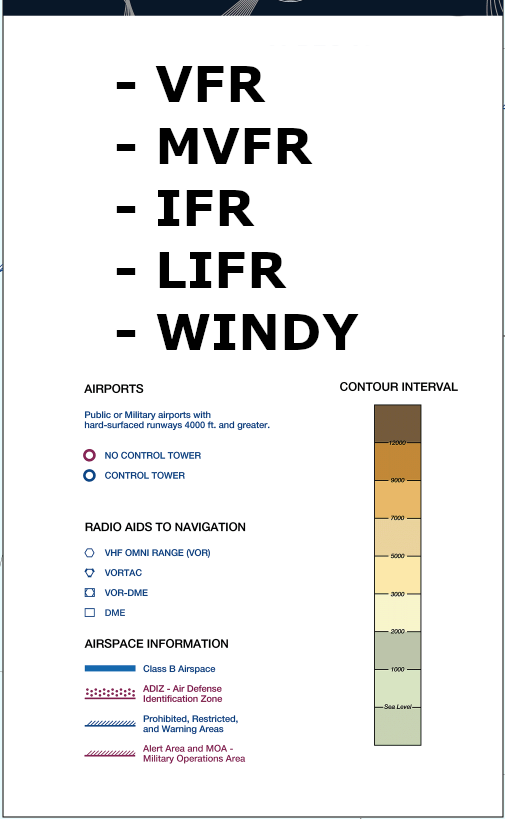
- Legend, large (PNG)
- Legend, small (Word)
- Large U.S. map file: the FAA's VFR Wall Planning Chart, under the planning charts on the FAA VFR charts page (a large download).